v26.01 (March 2026)
1. Power Rail Overview Changes
If the Power Rail feature is enabled for a customer, a new Power Rail Status section will be displayed in the Overview page, including a dedicated panel with relevant metrics.
Check out Power Rail Overview Metrics for more details
2. Template Mapping Multi-Condition Support
Template Mapping Condition feature allows multiple conditions to be combined using logical operators. Previously, template mapping supported only single-condition matching. This update introduces support for compound conditions using logical operators such as AND, OR, and END.
Check out Multi Condition Template Mapping for more details
3. Label Affected by Last Price Update
Whenever overview data refreshes (every ~10 mins) system checks for labels that are affected by last price update. By this enhancement system considers the price update performed via both JSON and File upload.
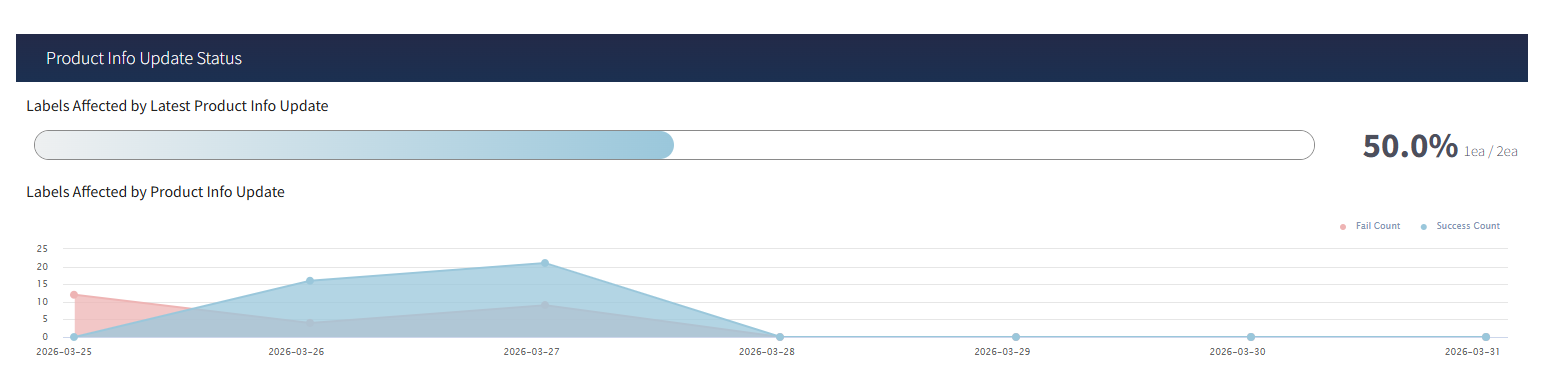
Check Out Product Info Update Status
4. Only Level One (1) Users are Allowed to Set User Level Permissions
User access management has been refined to ensure tighter control over system configurations. Improves governance and prevents unauthorised modifications to critical access controls.
- Only Level 1 users are now authorised to configure and manage user-level permissions.
- Other user levels will have view-only access to these settings.
5. SSO Login Support for Docs & Swagger
The SSO experience has been enhanced to ensure consistent authentication across all integrated platforms, including API documentation (Swagger) and User Manuals.
What's Enhanced
- Authentication context is now preserved when navigating from the Dashboard to external resources such as:
- API Docs
- User Manual documentation
- The system dynamically identifies the appropriate authentication configuration based on the company context.
- Supports both:
- Default authentication policies
- Company-specific custom Identity Provider (IdP) configurations
How It Works
- When users access Swagger or User Manuals from the Dashboard:
- The system automatically determines the correct authentication policy for the user's organization
- Users are seamlessly authenticated without requiring an additional login
Ensure the required redirect URLs are configured in the identity provider (e.g., Azure AD B2C) for documentation endpoints if not already set.
6. Sensor One year Data Retention
The Sensor module now supports long-term data analysis with extended retention capabilities.
- Sensor data can be retained and accessed for up to 1 year.
- Users can visualize long-duration trends with optimized chart formats:
- Detailed view for shorter durations
- Aggregated (bar chart) view for extended periods
- Sensor data logs can be downloaded for the full retention duration.
Check out Sensor Data Retention and Extended Trend Analysis for more details.
7. Webhook EPD Fail Notification
The system now provides label display and hardware-related issues through webhook events.
- EPD-related failures are captured and reported with detailed status indicators.
- Includes specific failure categories such as:
- EPD Broken
- Decompression Error
- EPD Display Fail
It helps users in faster diagnosis and proactive handling of label issues through real-time notifications.
Check out EPD Error Notifications for more details.
8. SFTP Enhancements
SFTP configuration capabilities have been enhanced to support secure and flexible integrations.
- Supports both:
- Password-based authentication
- SSH key-based authentication
- SSH key pairs are automatically generated within the system.
- Public key download and configuration enable seamless secure connections.
- SSH key-based SFTP authentication requires proper public key configuration on the server.
Check Out SFTP Manual for more details.
9. Restricted Access to PDA Configuration
Access to ESL configuration within PDA settings has been enhanced.
Only authorised Level 1 users can access, modify, and save PDA (ESL) configurations.
Restricted to ensures secure handling of device-related configurations and reduces the risk of unintended changes.
10. Label LED Info (Tracking Page)
This feature introduces a centralized page to track LED events triggered on labels. It helps users analyse LED activity with better filtering, search, and export capabilities.
- Navigate to: ESL → Label → Label LED Info
- Features:
- Search by Label Code, Batch ID, Tx Sequence
- Date range filtering
- Pagination and row selection
- Export data functionality
Check Out Label LED Info for more details.
11. Email Notification (Threshold Alerts)
12. ESL Beeper Configuration
This feature introduces beeper configuration in the ESL package settings, allowing users to enable and manage beeper functionality as part of system configuration.
- Navigate to: Config → System → ESL Package Configuration
- Features:
- ESL Beeper option available
- Can enable and Save configuration
Check Out ESL Package for more details.
13. Label Image Push & Regenerate Support
This enhancement improves the regeneration functionality by ensuring that labels processed through Image Push are handled correctly. It maintains consistency and accuracy in label display.
- Navigate to: ESL → Label → Regenerate Image
- Features:
- Supports regeneration for Image Push labels
- Ensures correct image rendering
14. Dithering Support for all Label Types
This feature improves label rendering flexibility by allowing dithering algorithms to be applied to all label types without restrictions.
- Navigate to: ESL → Label → Image Push
- Features:
- Supports all labels
- Multiple algorithm options available
Check Out Image Push for more details.
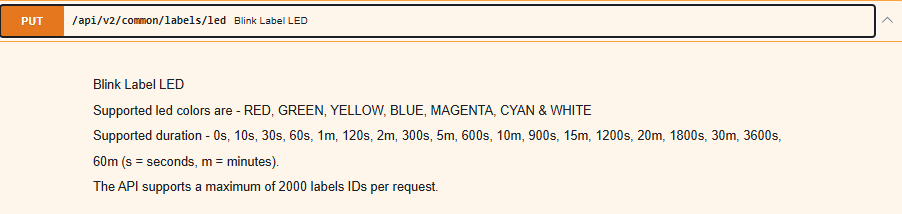
15. LED Blink API -- Duration Format Enhancement
This enhancement improves the LED Blink API by allowing users to specify duration in both mixed format (minutes/seconds) and seconds-only format. It provides better flexibility and a more standardised way to define LED blink durations without affecting existing implementations.
- Access via API Docs → LED POST API
- Supported duration formats:
- Mixed format: 1m, 2m, 5m, 10m
- Seconds format: 60s, 120s, 300s, 600s
- Both formats are valid and interchangeable
16. Minor Changes or Enhancements
1. Allowing friendly names to JSON based product uploads
Overview:
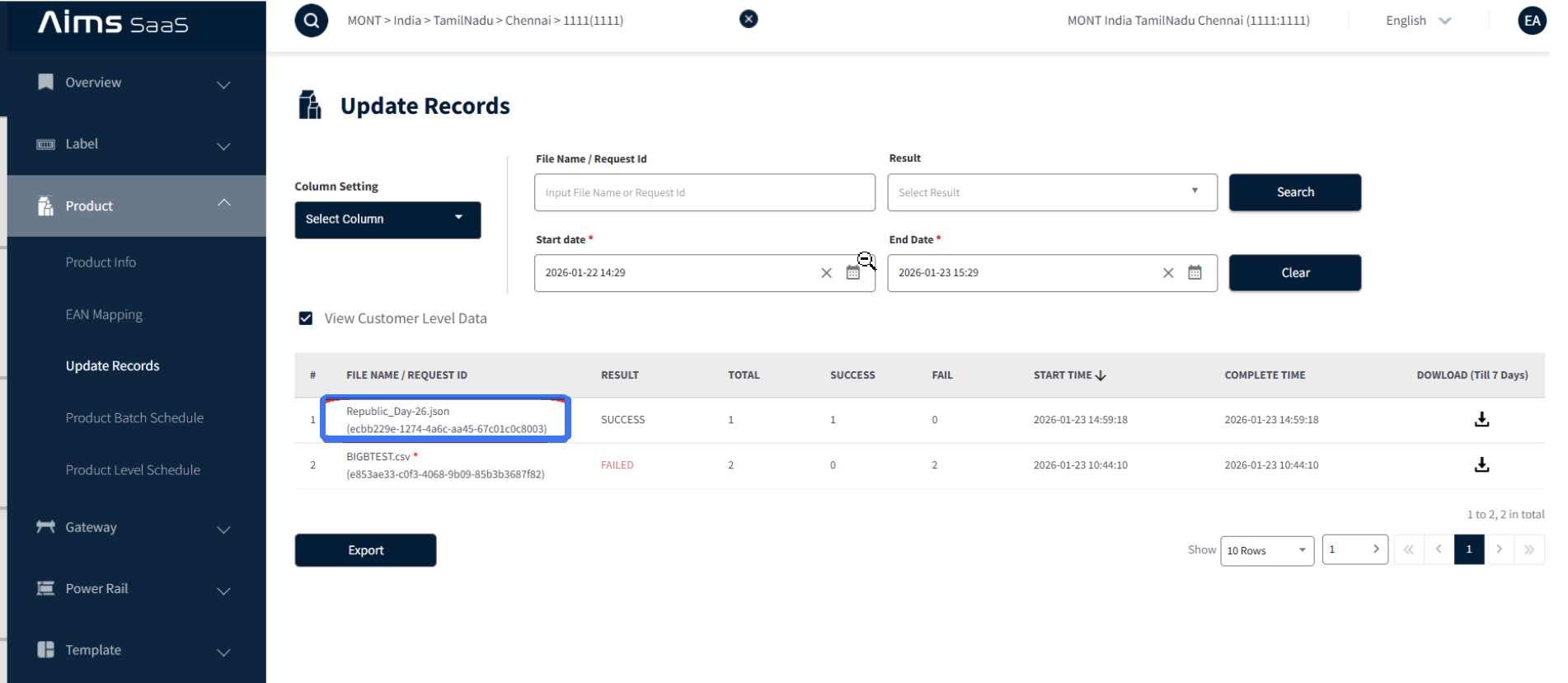
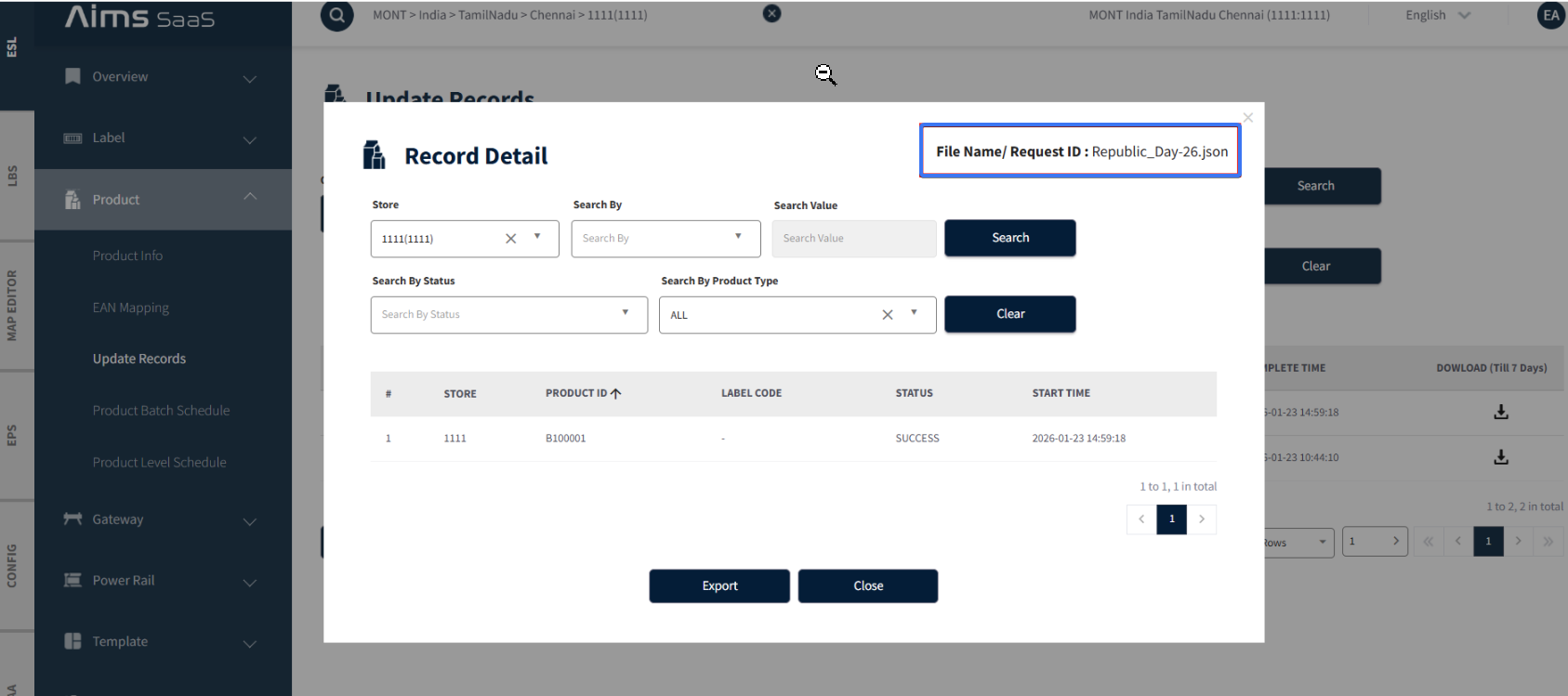
When articles are uploaded through the JSON API, each request generates a unique batchId (e.g., "a1b2c3d4-e5f6-7890-abcd-ef1234567890"). Since these IDs are system-generated and not user-friendly, it becomes difficult to identify the purpose of each batch when multiple requests are submitted. This enhancement introduces the ability for users to provide a friendly name, so batches can be easily recognized and managed.
| Without Friendly Name | With Friendly Name |
|---|---|
| a1b2c3d4-e5f6-... | Republic_Day-26.json |
API change
Endpoint: POST and PUT /api/v2/common/articles (JSON upload)
New Query Parameter: fn (optional)
POST /api/v2/common/articles?fn=Republic_Day-26
How It Works
When fn (custom file name) is provided:
- The value is validated against the pattern
- .json extension is appended automatically
- This makes tracking and debugging article uploads much easier.
2. ALDI Nord image Data (null) Vs Regular Article Update.
Overview:
To ensure correct label content rendering when switching between Article, Article Image Push, Regular Image Push events.
This enhancement prevents incorrect duplicate detection caused by stale checksum metadata and ensures the label always reflects the latest intended article data.
3. Yellow dogs store list pagination issue fix and Audit Log Integration Status Endpoint reference updated.
Overview Updated the configurations and API calls for the Yellow Dog POS and Audit Log pages. In the Yellow Dog POS page, the store list data table was modified to disable pagination and request up to 500 items at once and in Yellow Dog POS Audit Log Integration Status - corrected the endpoint reference.
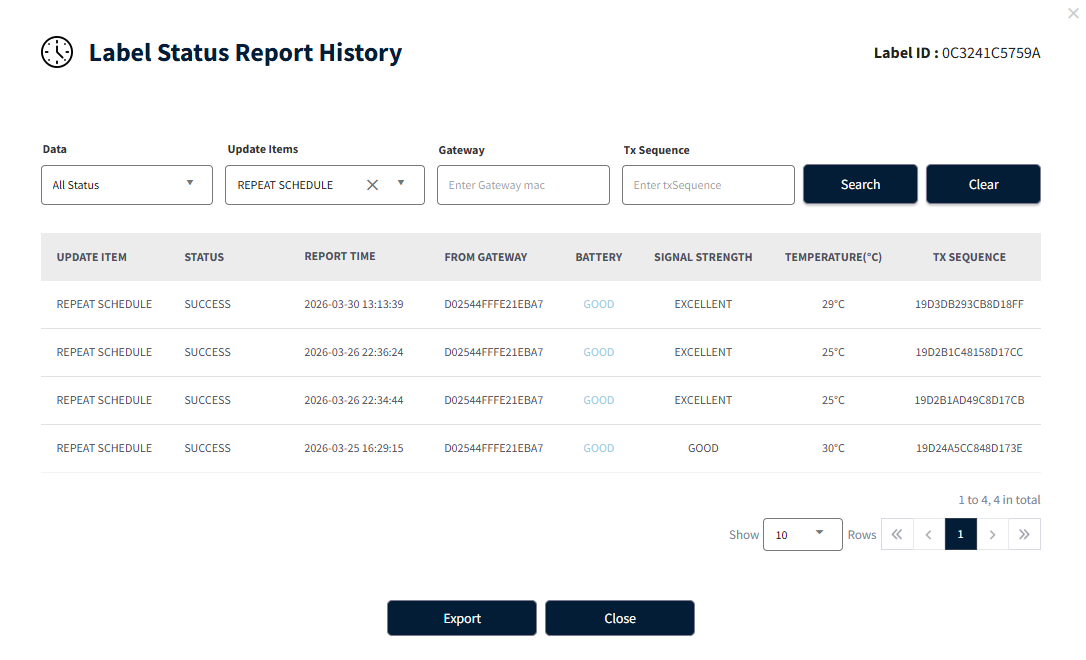
4. Added Repeat Schedule Text for Page 88
Overview: The purpose of this update is to introduce support for a new page type identifier (88) representing Repeat Schedule operations.
This ensures that when the system processes events for Repeat schedule by label or article, the UI correctly displays the label REPEAT SCHEDULE in both transaction logs and historical records.
5. Improved Event Accuracy for Reconciliation Status Notifications
This enhancements ensure more accurate and consistent webhook events during product reconciliation.
Key Updates * Correct handling of status transitions (Processing, Success, Timeout)
- Improved tracking of in-progress records
- Events triggered only after final status resolution
This ensures reliable and accurate reconciliation status notifications.
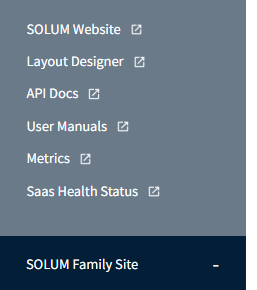
6. API Docs & User Manual Navigation
This enhancement improves accessibility by providing direct navigation to API documentation and user manuals, allowing users to quickly refer to required information.
- Access via Solum Family Site
- Options:
- API Docs → Opens API reference
- User Manuals → Opens tutorial content
7. Gateway Export - Store Time Support
This enhancement improves export functionality by displaying time values in the store's local time zone and simplifying the exported data for better readability.
- Navigate to: ESL → Gateway → Export
- Features:
- Time shown in store time zone
- Clean and simplified export file
